NAP Consistency
Make the basics match
 By Mark Cantrell, Founder & CEO, Upward Bound MediaLast updated
Short answer
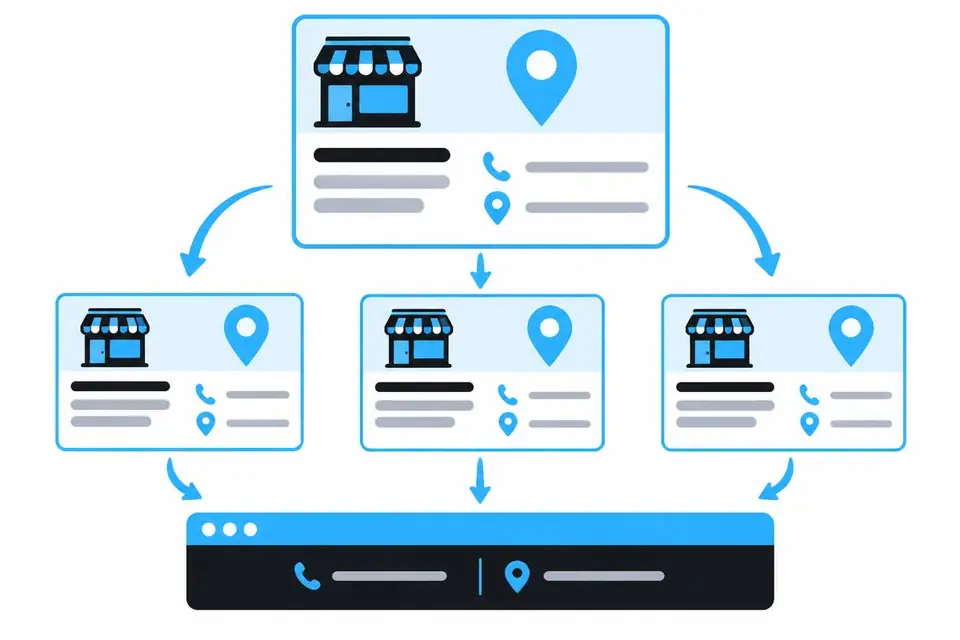
NAP means name, address and phone. Your website uses the exact same NAP as your Google Business Profile, word for word, on every page. The profile is the source. The website copies it.
On this page
Matching business details across the web
Match the profile exactly across your website, social profiles, directories and review sites.
- "Suite 100" differs from "#100". "Street" differs from "St." Inconsistent formatting makes your identity harder for Google to confirm.
- NAP flows from profile to website, never the other way. Leave NAP alone when you update the profile.
- Changing verified NAP can trigger reverification and temporarily remove your listing. Check your profile details with gbpchecklist.com.
- See a full example.
Do this
- Copy the profile's NAP exactly, like "Suite 100"
- Change the website to match the profile
Not this
- Mix formats, like "#100" on one page and "Suite 100" on another
- Change verified NAP on the profile to match the website
Plain-text NAP in the website footer
Put exact profile NAP in every page's footer as plain text, not an image, so Google can read it.
LocalBusiness schema on your site
Schema is code that gives Google structured facts. LocalBusiness schema declares your business type, location, contact info and services.
Google map embeds on service pages
Embed the verified profile's Google Maps listing on every service page, for every business type. See location maps and directions.
Page titles and H1s that match the search
The title is the blue headline in Google results. The H1 is the page heading. Match both to the page's search:
- For branded searches, use your company name.
- For business-type searches, use what you are, like "[Primary category]."
- For service searches, use what you do, like "[Service]."
Choose searches with Keyword Targeting.