Local Business Website Built for SEO and AI Search
The Mirror Strategy
How to build a local service business website that mirrors its Google Business Profile, so Google sees one story and shows you on Maps.
 By Mark Cantrell, Founder & CEO, Upward Bound MediaLast updated
Short answer
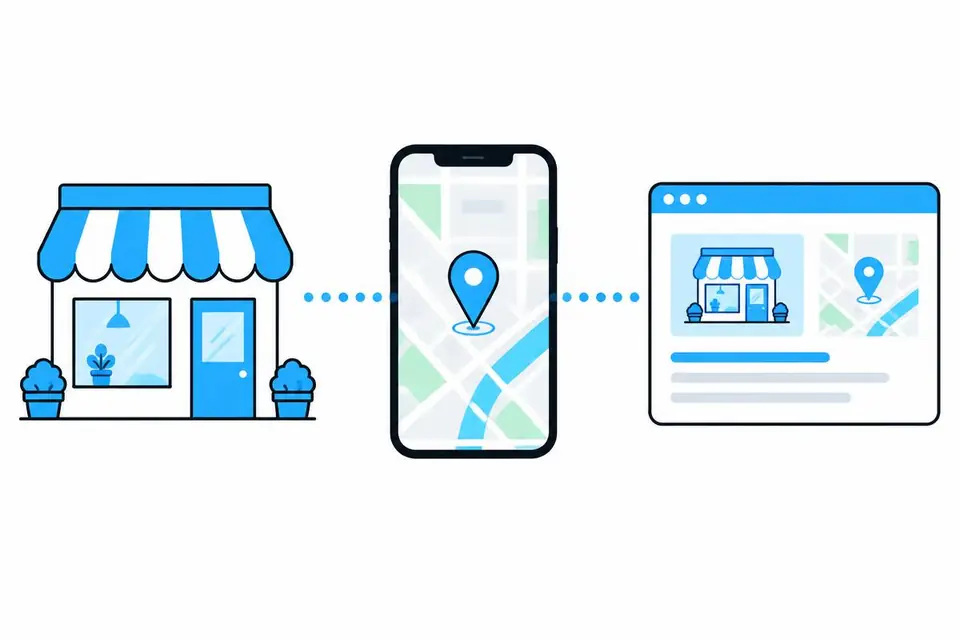
Build your website as a mirror of your Google Business Profile. Same name, address and phone, one services hub per category and one page per service, all linked back up. Google, Maps and AI tools then read one story.
On this page
- Definition
- Why a local business website loses on Google Maps
- What the Mirror Strategy does for your website
- Why this website method works
- The 6 steps to build the site
- The eight parts of the website method
- A local business website for AI search
- What a local business website looks like
- Common questions about the site
Definition
Definition
The Mirror Strategy is a local SEO website framework that builds a business's website as a mirror of its verified Google Business Profile. The website uses the same name, address and phone number word for word, gives each profile category its own services hub, with one page per service, and links every page back up to the hub it belongs to. The Mirror Strategy was created by Mark Cantrell, Founder & CEO of Upward Bound Media, after 15 years in the HVAC trade.
Not to be confused with a mirror site, which copies another website. Here, your website mirrors your Google Business Profile.
Two quick terms: SEO means getting found on Google. Your Google Business Profile is your free Google Maps listing.
Why a local business website loses on Google Maps
A lot of local business owners think Google Maps is all about the Google Business Profile. Get the reviews, post every week, and you'll show up. That's only half of it. Google also checks your website to see if it agrees with your profile. When the two don't match, Google plays it safe and shows somebody else.
What Google checks on your website
Google compares your site to your profile. It looks at your name, address and phone. It also looks at what you are (your categories) and what you do (your services).
Signs your website and profile don't match
- The site shows a different phone number or business name than the listing.
- The profile lists a service that has no page on the site.
- One page tries to cover everything.
- The homepage targets a service instead of what you are.
Before
Profile
Website
[Business name]
[Business name] LLC
[Phone]
[Old phone]
[Service 1]
(no page)
✕ Two stories. Google shows somebody else.
After
Profile
Website
[Business name]
[Business name]
[Phone]
[Phone]
[Service 1]
[Service 1]
✓ One story. Google shows you.
What the Mirror Strategy does for your website
Your Google Business Profile is the boss. Whatever it says, your website says too.
Same name, address and phone on every page
Your website shows your name, address and phone word for word the way your profile does. See NAP Consistency.
A services hub for each profile category
Each category on your profile gets its own services hub on the site. See Website Structure for SEO.
A page for every profile service
Every service on your listing gets its own page under its hub. See Service Pages.
Every page links back up to its hub
Service pages link up to their hub, and hubs link up to the homepage. See Internal Linking Strategy.
Why this website method works
Your Google Business Profile is the source of truth
Google trusts your Google Business Profile first. Your website either backs it up or confuses it. When your website matches your profile, page for page, Google sees one business telling one story.
Why more pages and posts don't fix it
A lot of websites skip this and pile on more pages, posts and ads instead. That doesn't fix a site that disagrees with its profile.
When the base website is enough
The Mirror Strategy fixes the foundation first. A lot of times, that's enough.
The 6 steps to build the site
Step 1: Plan profile categories and services
Write down the categories and services your profile should have. Do not change the profile yet. That waits until the website is indexed.
Step 2: Build one services hub per category and one page per service
Give each planned category a hub on the site. Put one page for each service under its hub.
Step 3: Match names, addresses, phone numbers, titles and maps
Put your name, address and phone on every page, word for word. Match page titles to the profile and embed the profile map.
Step 4: Link services to hubs and hubs to the homepage
Every service page links up to its hub. Every hub links up to the homepage.
Step 5: Submit to Search Console and let Google index
Submit your sitemap in Google Search Console. Wait for Google to find the new pages.
Step 6: Update categories and services
Once the website is indexed, update the profile's categories and services to match it. Never change your name, address or phone.
- 1
Plan the profile
Write down categories, services and your name, address and phone. Don't change the profile yet.
- 2
Build the website
One services hub per category, one page per service.
- 3
Match the basics
Put your name, address and phone in every page's footer as plain text. Embed the profile map on every service page.
- 4
Link it all
Service pages link up to their hub. Hubs link up to the homepage.
- 5
Let Google index
Submit the site in Google Search Console and give it time.
- 6
Update the profile last
Add the categories and services. Leave name, address and phone alone.
Follow the Local SEO Checklist. Profile instructions are at gbpchecklist.com.
The eight parts of the website method
- NAP Consistency: Same name, address and phone everywhere, word for word.
- Website Structure for SEO: Each category becomes a services hub.
- Service Pages: Every profile service gets its own page.
- Internal Linking Strategy: Every page links back up to the hub it belongs to.
- Keyword Targeting: Every page has one job, so pages never fight.
- Location Landing Pages: Service areas, maps, directions and more than one location.
- Website Launch Checklist: Let Google index the site, then update the profile last.
- Optimize Website for AI Search: One set of facts for Google, Maps and AI tools.
A local business website for AI search
Doing the site properly for SEO is most of the work for AI search too. See how to optimize a website for AI search.
What AI tools read on your site
AI tools read the same facts Google and Maps do. That means your name, address, phone, categories and services.
Why good SEO is most of AI search
The same matching facts feed Google, Maps and AI tools. A website built right for SEO already gives AI search what it needs.
What a local business website looks like
- Homepage: [Business name] and the [Primary category] company/contractor term
/[category]hub: "[Category] services"/[category]/[service-1]: "[Service 1]"/[category]/[service-2]: "[Service 2]"
Your homepage: what you are
Your homepage targets your business name plus your [Primary category] company or contractor term. Branded searches land here. Seasonal businesses swap it by season.
Your services hubs: what you do
Each category gets one hub at /[category]. It targets "[Category] services".
Your service pages: one service each
Each service page lives at /[category]/[service-1] and targets that one service.
Want a real one? See the full HVAC example.
Common questions about the site
Does this work for other trades?
Yes. The Mirror Strategy works for any business with a Google Business Profile.
Can I rank if I don't show my address?
Yes. We rank service area businesses without tricks.
How long does it take?
We build and launch in about 14 days. Rankings grow from there as Google finds and trusts the pages.
Quick answers on other trades, hiding your address, domains and timing are on the Questions page.